
Look, in today's digital world, your customers expect answers right away. They don’t want to get stuck on hold or send an email into the great unknown, just hoping for a reply in a day or two.
This constant demand for instant help is a massive challenge for just about any business, whether you're running a busy e-commerce store, a hands-on consulting firm, or a bustling real estate agency.
So, how do you offer that round-the-clock service without your costs going through the roof?
More and more, the answer is automation—specifically, getting smart with the strategic use of free AI chatbot platforms for customer service. These aren't some futuristic gimmick anymore; they’re pretty much essential for handling customer questions, sorting out leads, and just generally making things better for your users.
But let's be honest, the market for an ai chatbot online is a crowded and confusing mess.
A lot of platforms will shout "free" from the rooftops but then hide some serious catches in the fine print, such as strict caps on conversations or essential features locked behind a paywall. You've got everything from powerful open-source tools for developers to drag-and-drop builders for marketers, and a whole lot in between.
Just trying to cut through all that noise to find something that's actually free and works well is a job in itself.
That's why you need some clarity. You have to figure out the difference between a platform with a genuinely useful free plan and one that's just a free trial in disguise, ready to hit you with a big bill.
That's what this guide is for—to cut through the confusion. We’ve dug through the latest reports and expert opinions to give you a real, no-nonsense look at the best free AI chatbot platforms out there right now.
We’ll break down what makes a free tool actually worth your time, stack up the top players against each other based on what you need and what your team can handle, and even give you a step-by-step plan for getting started without spending a dime.
Here at RobotSpeed, we’re all about using AI to automate the tough parts of SEO and content, and we feel the same way about chatbots—the right one can totally change how you talk to your customers. So let's dive in and see how you can build a killer customer support system on a shoestring budget.
What Really Defines a Valuable Free AI Chatbot Platform
Here’s the deal with the word "free" in the tech world: it's almost never *actually* free, with no strings attached. When you're looking at free AI chatbot platforms, you’ve got to peer behind the marketing curtain and figure out what you're really getting. The best free plans aren't just teaser trials; they give you a solid, usable set of tools that can actually help your business right from the start.
Sometimes, platforms pull this off by baking the chatbot into a bigger system, where the bot is a freebie thrown in to make their other tools, like a CRM, even better.
Take HubSpot, for example. Their free option is seriously powerful because it gives you a no-code chatbot builder that plugs right into its free CRM.
For a lot of businesses, that integration is a total game-changer. An analysis from Botpress even points out that this is what lets your bot do cool things like greet returning visitors by name or tweak conversations based on what they've done before.
A setup like this is golden for marketing agencies or online stores that want to put lead qualification and appointment booking on autopilot without touching any code. See, the real value isn't just the bot itself—it's how it connects to your whole customer management workflow.
Then you've got the other side of the coin: platforms built for the tech-savvy crowd. Tools like Google's Dialogflow or open-source frameworks give you a ton of power and flexibility.
I've seen resources like G2 mention that these tools hand developers some serious Natural Language Understanding (NLU) power to build really smart bots that work everywhere. The software might not cost you anything upfront, but don't forget you'll have other costs to think about, such as cloud hosting fees or the developer hours required for setup and maintenance.
It’s a different flavor of "free"—one where you swap a monthly subscription for server and salary costs. This makes it a great fit for consulting firms or businesses with their own tech team who want total control over their artificial intelligence chat online.
It's also really important to know how these differ from the big-name premium support tools like Intercom or Zendesk AI.
You’ll see these platforms pop up on "best of" lists all the time for their amazing automation, but sources like Social Intents confirm what you might suspect: their most powerful features are almost always locked behind a paid plan. Sure, they might have a limited trial, but they aren't built to be used for free forever.
Getting this difference from the get-go helps businesses—especially in fields like health or real estate where rules and solid support are non-negotiable—to set realistic expectations and pick a path that actually fits their budget and goals.
A Deep Dive on the Top Free AI Chatbot Platforms
To make any sense of the options, you really have to dig in and see what each platform gives you on its free plan. You’ll find that the best choice for a real estate agency will likely differ from that of a software development consultancy.
Let's break down the leading free contenders and see where they shine.
HubSpot Free Chatbot The All in One for SMBs
HubSpot has built its reputation on creating an interconnected ecosystem of marketing, sales, and service tools, and its free AI chatbot is a perfect example of this strategy. You could argue it’s the best pick for small to medium-sized businesses, especially if you don't have a dedicated dev team.
What makes it stand out is its seamless integration with the free HubSpot CRM. This connection allows the bot to do more than just answer questions; it can qualify leads, book meetings directly into your sales team's calendar, and create support tickets automatically. The builder itself is completely visual and requires no coding knowledge.
You can grab pre-built templates for everyday jobs like answering FAQs or setting up demos, and then just tweak them to match your brand's voice. As a roundup by Botpress highlighted, the cool part is being able to personalize chats using CRM data—a feature you'd usually have to pay for.
For an e-commerce shop, this means your bot can bring up a customer's past orders.
For a consulting firm, it could spot a returning prospect and send them to the right person. And it all funnels into one shared inbox, which makes handing off a chat from a bot to a person incredibly seamless.
Google Dialogflow Power and Precision for Technical Teams
For companies that have developers on the payroll, Google Dialogflow brings a level of smarts that most no-code builders just can't touch. This isn't some simple plug-and-play tool; it's a heavy-duty platform for building conversational AI with some seriously advanced Natural Language Understanding (NLU).
Dialogflow has two flavors, ES (Standard) and CX (Advanced), and the ES version has a super generous free tier that's more than enough to get most businesses off the ground. According to industry analysis I've seen from sources like G2, it's always near the top of the list for business chatbots because it's so good at figuring out what users actually mean.
Dialogflow is designed for omnichannel deployment.
You can build your bot one time and then roll it out everywhere—your website, mobile app, Facebook Messenger, Slack, even on voice assistants. That kind of flexibility is priceless for companies that need to offer the same great experience no matter where customers find them. But all that power comes with a bit of a learning curve.
To get it talking to your help desk or CRM, you’ll need to work with webhooks and APIs, which is definitely a job for a tech person. The pricing is pay-as-you-go once you outgrow the free tier, so it can easily scale up as your business does.
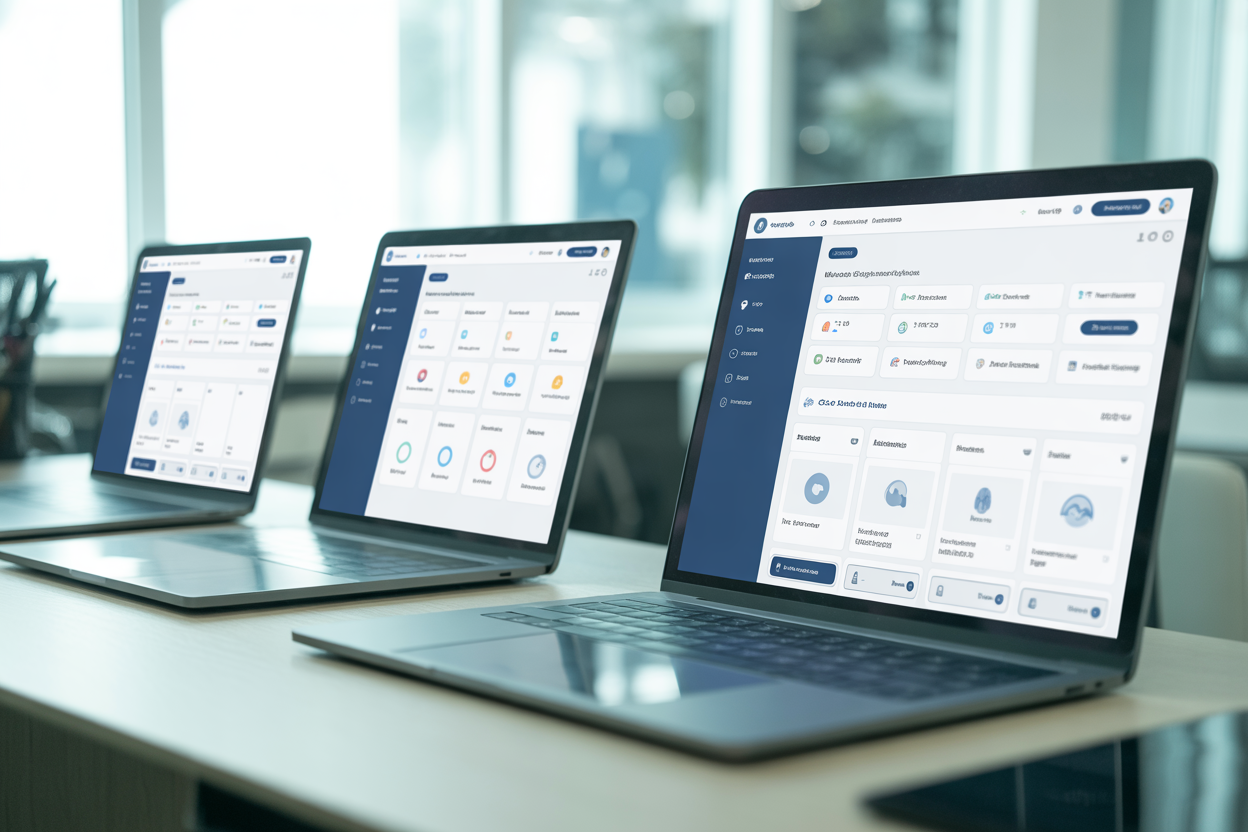
Botpress The Open Source Champion for Full Control
For businesses that put a premium on customization and can't stand the idea of being locked into one vendor, open-source is the only way to fly. Botpress really shines here as a top-tier open-source conversational AI platform.
Its biggest selling point?
Control. You get to host it on your own servers—either in your office or on a private cloud—which gives you total ownership of your data and the whole setup.
This is a huge deal for industries with tough data privacy rules, like healthcare. The platform is free; your only real costs are the servers it lives on and the developer time it takes to run it.
Botpress has a visual flow editor that makes it a bit easier to get into than some other developer-first tools, but its true strength is how much you can build on top of it.
As Botpress itself explains, you can tweak everything with code and add-on modules, connecting it to any system you use through APIs. While Botpress has a paid cloud version with some extra bells and whistles and managed hosting, its open-source heart is a solid base for building sophisticated, custom bots.
This makes it a great option for marketing agencies creating unique solutions for clients or for big companies that need a bot that’s deeply woven into their operations.
Claudia Bot Builder The Lean Choice for AWS Developers
Not every business needs a massive, all-encompassing platform. Sometimes, what's required is a lightweight library to get a bot up and running quickly within an existing development environment.
That's where Claudia Bot Builder comes in. It’s not a full-blown platform, but an open-source library that makes it way simpler to create bots for chat apps like Facebook Messenger, Telegram, Slack, and Twilio. Because it’s built to run on AWS Lambda and API Gateway, it just feels right for teams already working with serverless apps.
The best thing about Claudia, as a review of open-source tools by Botpress points out, is how it handles all the boring setup code for you. It takes care of the tricky parts of webhook configuration and makes sure messages look the same no matter which chat app they come from, freeing up your developers to actually build the bot's brain. Since it's an MIT-licensed library, it's totally free to use.
Your only costs are the usual AWS fees, which are typically pretty low unless you have a ton of traffic.
It's a slim, smart, and super practical tool for developers who want to add an artificial intelligence chat online to their apps without the headache of a big framework.
The "Almost Free" Chatbots You Will Inevitably Encounter
As you start digging into customer service automation, you're going to keep running into a certain type of platform—the ones that are incredibly powerful but aren't really free for the long haul. We're talking about the premium, enterprise-level tools that you often see in expert reviews. It's good to know what they're all about and why they usually cost money, because that context will help you make a smarter call on where to begin.
Honestly, setting realistic expectations now can save you a ton of time and keep you from pouring effort into a platform that's just not in the budget.
Platforms like Intercom, Zendesk AI, Ada, and Drift get a lot of praise, and for good reason—they're incredibly good at automation. They are pros at creating these smooth experiences that mix AI bots and live support so well.
For instance, Intercom's Resolution Bot can snag answers right from your help articles and then pass the conversation to a human agent without skipping a beat, all inside one slick chat window. As highlighted in guides from both Social Intents and G2, these tools are leaders in the customer support space for a reason.
They provide deep analytics, proactive messaging, and powerful integrations that can significantly improve key metrics like resolution time and customer satisfaction.
However, this level of functionality almost always comes at a price. While some of these platforms, like Tidio or ProProfs Chat, may offer a limited free plan or an extended trial, their core automation features are typically reserved for paid tiers.
According to a market overview from ProProfs Chat, free plans on these premium platforms often come with strict limitations, such as a low number of monthly conversations, mandatory branding, or access to only the most basic bot templates. They're more of a gateway to get you hooked on their paid services than a forever-free fix. This isn't a bait-and-switch; it's simply a different business model, one aimed at mid-market and enterprise clients who are ready to invest in a comprehensive customer communications platform.

How to Choose Your Free AI Chatbot A Strategic Framework
Choosing the right free AI chatbot isn't about finding the "best" one out there, but about finding the one that fits your business just right. The perfect tool for a tech-heavy marketing agency could be a total disaster for a small online shop. To get this right, you have to take a hard look at your resources, your goals, and where you see things going.
This framework should help you walk through the big decisions.
Assess Your In House Technical Resources
This is probably the most important first step you can take.
The line between a successful chatbot launch and a frustrating mess often comes down to who you have on your team.
Be real about the skills you have on hand. If you are a non-technical team, such as a real estate agency or a small consulting firm, your priorities should be ease of use and speed of deployment.
In this case, a platform like HubSpot Free Chatbot is the clear winner. Its no-code, visual builder allows you to create and launch a functional bot in a matter of hours, with a very shallow learning curve.
As Botpress points out, these integrated platforms are designed for marketers and business owners, not engineers.
But if you do have a tech team or can get a developer's help, your world opens up quite a bit. Platforms like Google Dialogflow or open-source solutions like Botpress and Claudia Bot Builder offer unparalleled control and customization.
As noted by G2, these tools empower developers to build bots that can handle complex logic, integrate with proprietary backend systems, and deploy across a wide array of channels. Going down this road means you're swapping the simplicity of a no-code builder for the power to create a truly custom solution that fits your business like a glove.
Map Your Channels and Integration Needs
Next up, you need to think about where your customers actually hang out and what other software your bot needs to connect with. If your main goal is just to pop a support widget onto your website, then some pretty straightforward options like the HubSpot chatbot or the Botpress web chat module are great choices.
They are easy to embed and can be up and running quickly.
This simple use case is often enough for businesses that primarily drive traffic to a central website, like many service-based firms or e-commerce stores.
But things get trickier if your customers are all over the place. For multichannel support on platforms like Facebook Messenger, Slack, or WhatsApp, you'll need a more robust solution. Research I've seen from both Botpress and G2 suggests this is where tools like Google Dialogflow (with its built-in connectors) or open-source frameworks really start to pull ahead.
These platforms are built to juggle messages from different places. On that same note, think about the software you're already using. If you're all-in on the HubSpot CRM, their native chatbot just makes sense.
If your help desk is something else, you’ll need a bot that can talk to it using APIs, which again points you toward the more developer-focused tools.
Plan for Scalability and Future Costs
Free is a great place to start, but you have to think about what happens down the road. As your business grows, so will your chat volume and your need for fancier features.
It's so important to understand the limits of any free plan and what the upgrade path costs. Most free tiers will have caps on the number of monthly chats, the number of active bots, or access to premium features like advanced analytics or AI-powered intent detection.
According to some insights from G2, thinking about these paid upgrades from day one means you won't get blindsided when you suddenly hit a limit.
This is also where you have to really calculate the total cost of ownership. A "free" open-source tool like Botpress or Claudia lets you dodge subscription fees, but it doesn't mean it costs nothing.
As Botpress explains, you're basically trading a subscription bill for cloud hosting bills and the salary of the developer who has to babysit the system. For some businesses, that's a great trade for the amount of control you get.
For others, a predictable monthly fee for a platform that handles all the technical headaches is a much smarter move. Think about where you'd rather put your money: into your own team's time or into a service that does it for you.
Your Step by Step 0 Dollar Implementation Blueprint
Knowing which platform to choose is one thing; successfully implementing it is another.
To make this process as practical as possible, here are two distinct, step-by-step playbooks for deploying a free AI chatbot.
One is designed for non-technical teams who need a quick and easy solution, while the other is tailored for technical teams who want more control and customization.
The Playbook for Non Technical SMBs and Marketers
For most entrepreneurs, small businesses, and marketing teams, the goal is to get maximum impact with minimum technical fuss. The path of least resistance with the highest return is almost always through an integrated platform like HubSpot.
-
Set Up Your Free Foundation: First thing's first: sign up for the free HubSpot CRM and Inbox. This becomes mission control for all your customer chats, whether they come from your bot, email, or a form. This single view is crucial for giving your support and sales folks the context they need.
-
Build Your Bot with Templates: Hop over to the Chatflows section in HubSpot. Don't start from a blank slate; use their pre-made templates.
They have them ready to go for qualifying leads, booking meetings, and handling support. Just pick the one that matches your main goal.
-
Customize and Connect: Now, make it yours. Change up the template to match your brand's voice and ask the right questions.
You do all of this in a simple visual editor. If you have a knowledge base (even just an FAQ page), you can connect your bot to it so it can pull up answers to common questions right away. As described by Botpress, this is a key step in deflecting simple inquiries and freeing up your team.
-
Define the Handoff: Decide what happens when the bot can't answer a question. You can configure it to create a support ticket, send an email notification to your team, or route the chat to a live agent if someone is available.
This makes sure no customer question gets dropped.
Deploy and Measure: With a single click, you can get your chatbot live on your website.
-
Once it’s up and running, check HubSpot's built-in reports to see how it's doing—things like how many chats it's having, leads it's capturing, and meetings it's booking. This info will help you make your bot's script even better over time.
The Playbook for Technical Teams and Developers
For teams with developers, the name of the game is usually flexibility and deep integration. This playbook is all about using a powerful NLU engine like Google Dialogflow, which sources like G2 often recommend for its serious capabilities.
-
Design Your Conversational Intents: First, you'll want to get into the Google Dialogflow ES console. Your job here is to lay out the "intents"—basically, the things your users are trying to do (like "check_order_status" or "get_pricing").
For every intent, you feed it a bunch of training phrases a user might type to get there.
This is what trains the AI.
-
Set Up a Webhook for Dynamic Responses: For any intent that requires information from your own systems (like checking a database for an order status), you'll need to enable webhook fulfillment. This involves writing a small piece of code, often a serverless function on Google Cloud Functions or AWS Lambda, that Dialogflow can call to get the data it needs to respond.
-
Connect to Your Channels: Head over to the "Integrations" section in Dialogflow. This is where you can flip a switch to turn on integrations for platforms like Facebook Messenger or Slack.
If you want a custom chat widget on your site, you'll probably use an API to link your front-end chat interface to your Dialogflow agent.
-
Handle Escalations and Data Logging: Inside your webhook code, you'll need to build in some logic for when the bot doesn't know what to do. That could mean firing off an API call to create a ticket in your help desk (like Zendesk or Jira) and sending the chat history along with it. You should also be logging conversations to your own database so you can analyze and fix things later.
-
Consider an Open-Source Alternative: As an alternative to this approach, your team could deploy the open-source version of Botpress.
The steps are similar: define your conversational flows, build any necessary API integrations as custom modules, and deploy the web chat widget to your site. This route, detailed by Botpress, gives you more control over the infrastructure at the cost of managing it yourself.
But when you get right down to it, automation is about more than just fielding questions. It’s really about making your whole business run more smoothly.
A really good chatbot can totally change your customer service game, but that’s only one part of the growth puzzle. You still need a ton of great content and a solid backlink profile to get customers to show up in the first place.
And that’s where the next wave of automation can help.
At RobotSpeed, we specialize in automating the heavy lifting of SEO. Our AI-powered platform generates 30 high-ranking articles every month and provides the backlink credits you need to build authority, all with a single click.
By combining an automated customer service solution like a free AI chatbot with an automated content and SEO engine like RobotSpeed, you create a powerful, self-sustaining system for growth.
You attract visitors with great content and then provide them with an exceptional, instant support experience. It’s a complete digital marketing flywheel.
Are you ready to automate the other half of your growth equation?
Explore RobotSpeed today and see how our one-click SEO content and backlink automation can help you dominate the search rankings and drive more traffic to your expertly supported business.