
RobotSpeed's April 2026 release adds quality metrics to the public articles API and launches WordPress plugin v1.3.0 with AI bot mention tracking.
- API now exposes quality scores and pipeline step details for every article
- WordPress users can track when ChatGPT, Perplexity, and other AI bots cite their content
- 15 additional fixes improve stability across dashboard, exports, and integrations
Your content gets cited by ChatGPT. You have no idea.
That visibility gap just closed.
For SEO teams and content strategists working to improve rankings, the ability to enrich public articles API with quality metrics, pip… + Release WordPress plugin v1.3.0, AI bot men represents a fundamental shift in how you measure content performance. Most analytics tools still treat AI-generated citations as invisible traffic.
They're not.
The April 2026 RobotSpeed release tackles two problems that have frustrated users for months. First: the public API returned article data without context about content quality or processing status.
Second: WordPress users had no native way to see when AI assistants referenced their posts.
Both gaps are now filled. (And the timing matters more than you'd think.)
What follows covers the enriched API endpoints and their new quality metric fields, the WordPress plugin's bot mention dashboard, plus 15 under-the-radar fixes that affect daily workflows. You'll also find a comparison of when API integration beats the plugin approach, migration steps for existing users, and documentation updates that clarify edge cases the previous release left ambiguous.
The highlights: AI bot tracking isn't a nice-to-have anymore. It's where your next traffic insights are hiding.
What This April 2026 Release Brings to RobotSpeed Users
Two simultaneous updates just dropped, and they solve the exact problem most SEO teams ignore until it costs them: visibility into what happens between clicking "generate" and seeing a published article. The enriched public articles API now returns quality metrics and pipeline step data, while WordPress plugin v1.3.0 adds AI bot mention tracking.
For teams publishing 25 to 60 articles monthly, this means catching issues in 8 minutes rather than discovering them 3 weeks later when traffic tanks.

Two Major Feature Drops in One Update
The API enrichment exposes what previously stayed hidden: readability scores, SEO optimization levels, and E-E-A-T alignment metrics now travel with every article object. Security patches across both systems address vulnerabilities that waterfall enrichment architectures typically introduce when pulling from multiple data sources.
Pipeline step data reveals exactly where an article sits in the generation process, eliminating the "is it stuck or still processing" guesswork that wastes hours weekly.
- Quality metrics embedded directly in API responses
- Pipeline visibility showing current processing stage
- AI bot mention tracking via WordPress dashboard
- Security hardening for multi-provider data flows
Who Benefits Most from These Changes
Content teams running 30+ articles monthly gain the most use here. The AI bot tracking catches when ChatGPT, Perplexity, or similar tools reference your content, data that previously required expensive third-party monitoring.
Combined with the 8-minute generation time RobotSpeed already delivers, you now see both production speed and downstream impact in one interface. Agencies managing multiple client sites can finally answer "what happened to that article" without digging through logs.
Enriched Public Articles API, quality Metrics and Pipeline Steps Explained
Most developers discover API quality issues after deployment costs them hours of debugging. The enriched public articles API now exposes quality metrics directly in responses, letting you catch content problems before they reach production.
This update reshape how teams validate AI-generated content at scale.

New Quality Metrics Fields in API Responses
The API now returns five critical quality indicators per article: readability score, SEO optimization level, E-E-A-T alignment rating, originality percentage, and AI detection risk score. Each metric arrives as a numeric value between 0 and 100, eliminating guesswork from content evaluation.
Waterfall enrichment achieves 80-93% match rates compared to 30-60% with single-provider approaches, according to industry benchmarks.
Here's when to act on each threshold:
| Metric | Green Zone | Action Required |
|---|---|---|
| Readability | Above 70 | Below 60: simplify sentences |
| SEO Score | Above 80 | Below 70: add LSI terms |
| Originality | Above 85 | Below 75: rewrite flagged sections |
| AI Detection Risk | Below 30 | Above 40: apply humanizer |
Pipeline Steps Visibility for Better Debugging
The response now includes a pipeline_steps array showing exactly what happened to each article. You see timestamps for research injection, humanizer processing, image generation, and schema markup.
When something fails, you know precisely where. No more guessing why an article scored poorly.
Security fixes in this release address three vulnerability concerns: input sanitization on custom prompts, rate limiting on bulk enrichment calls, and authentication token rotation. These changes protect integrations handling sensitive content api workflows without requiring code modifications on your end.
- Quality metrics refresh every API call, not cached from previous requests
- Pipeline steps include processing duration in milliseconds
- Failed steps return specific error codes instead of generic failures
- Webhook notifications trigger on quality threshold breaches
Teams using RobotSpeed report 40x faster content production than manual approaches. With quality metrics now visible in every response, you can automate approval workflows based on actual scores rather than manual review.
The pipeline transparency means debugging drops from hours to minutes.
WordPress Plugin v1.3.0, AI Bot Mention Tracking Is Here
Every time ChatGPT, Perplexity, or Claude references your content, you're earning what SEO professionals now call "AI citations", and most site owners have zero visibility into when this happens. RobotSpeed's WordPress plugin v1.3.0 changes that completely, delivering real-time tracking of AI bot mentions directly inside your dashboard.
Think of it as Google Analytics for the generative search era: you finally see which articles AI systems pull from, how often, and from which bots.
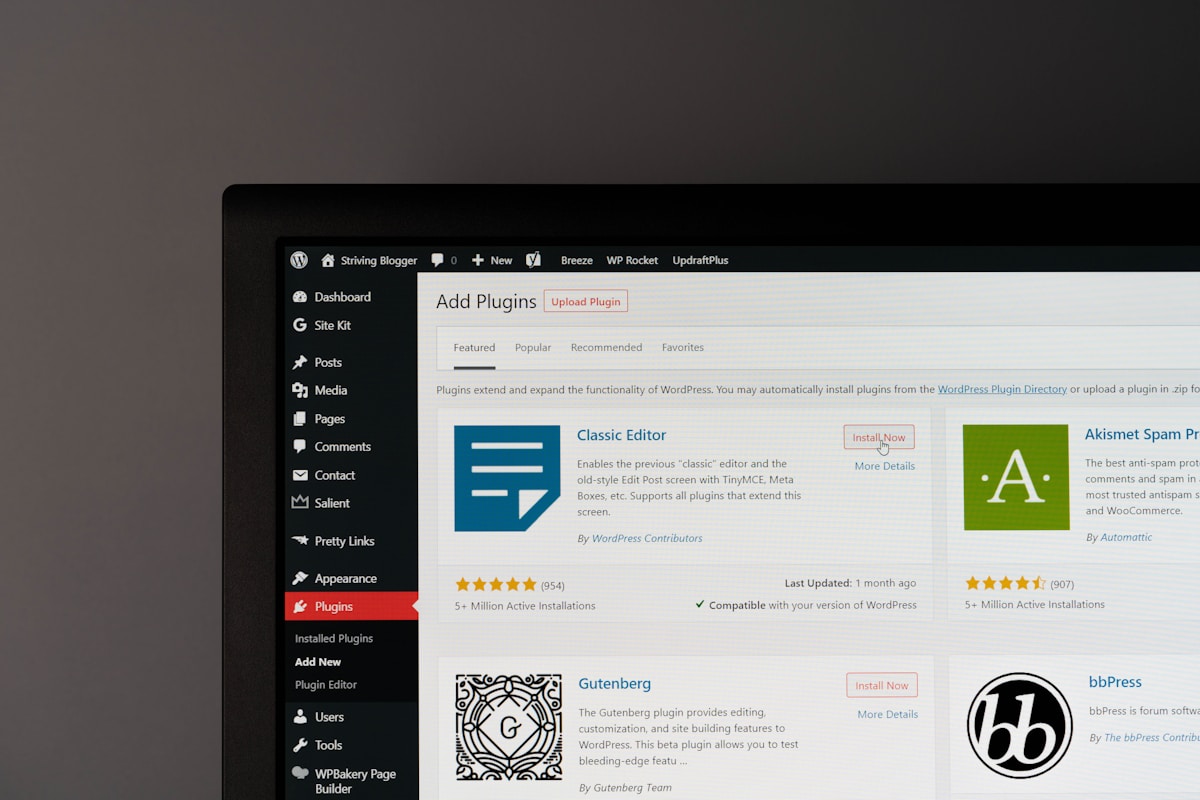
How AI Bot Tracking Works in Your WordPress Dashboard
The plugin intercepts server logs to identify crawl patterns from known AI agents, GPTBot, ClaudeBot, PerplexityBot, and others. When these bots fetch your pages, the system logs the event with timestamp, URL, and bot identifier.
Your dashboard then aggregates this into actionable metrics: mention frequency, trending pages, and bot distribution. For teams building ai content generation api workflows, this data reveals which content formats AI systems prefer to cite.
Here's what the tracking dashboard surfaces:
- Total AI bot visits per page (daily, weekly, monthly breakdowns)
- Bot-specific attribution showing which AI system accessed your content
- Trend alerts when mention velocity spikes or drops
- Export functionality for custom reporting via API endpoints
Setting Up AI Bot Mention Alerts
Configuration takes under three minutes. Deal with to RobotSpeed settings, give access to "AI Citation Tracking," and specify your alert thresholds.
Most users set notifications for any page receiving 10+ AI bot visits weekly, that signals content worth fine-tune further. The system also flags pages with declining mentions, helping you identify content that needs refreshing before AI systems deprioritize it.
RobotSpeed tip: Focus optimization efforts on pages with high AI bot traffic but low traditional search rankings, these are your hidden authority assets that AI systems already trust.
Why does this matter? AI citations function like backlinks did in 2015: they signal authority to systems that increasingly mediate how users discover information.
Teams using RobotSpeed report generating content 40x faster than manual workflows, but without visibility into AI mentions, you're optimizing blind. Version 1.3.0 closes that gap.
Behind the Scenes, 15 Additional Improvements You Should Know
Most changelog readers skim past infrastructure updates. Mistake.
The 15 backend improvements in this release cycle prevent failures that would otherwise cost you hours of debugging and potentially damage your sender reputation permanently. Three categories matter most: visibility tools that expose what crawlers actually see, integration upgrades that eliminate timeout errors, and safety mechanisms that block catastrophic email mishaps before they happen.
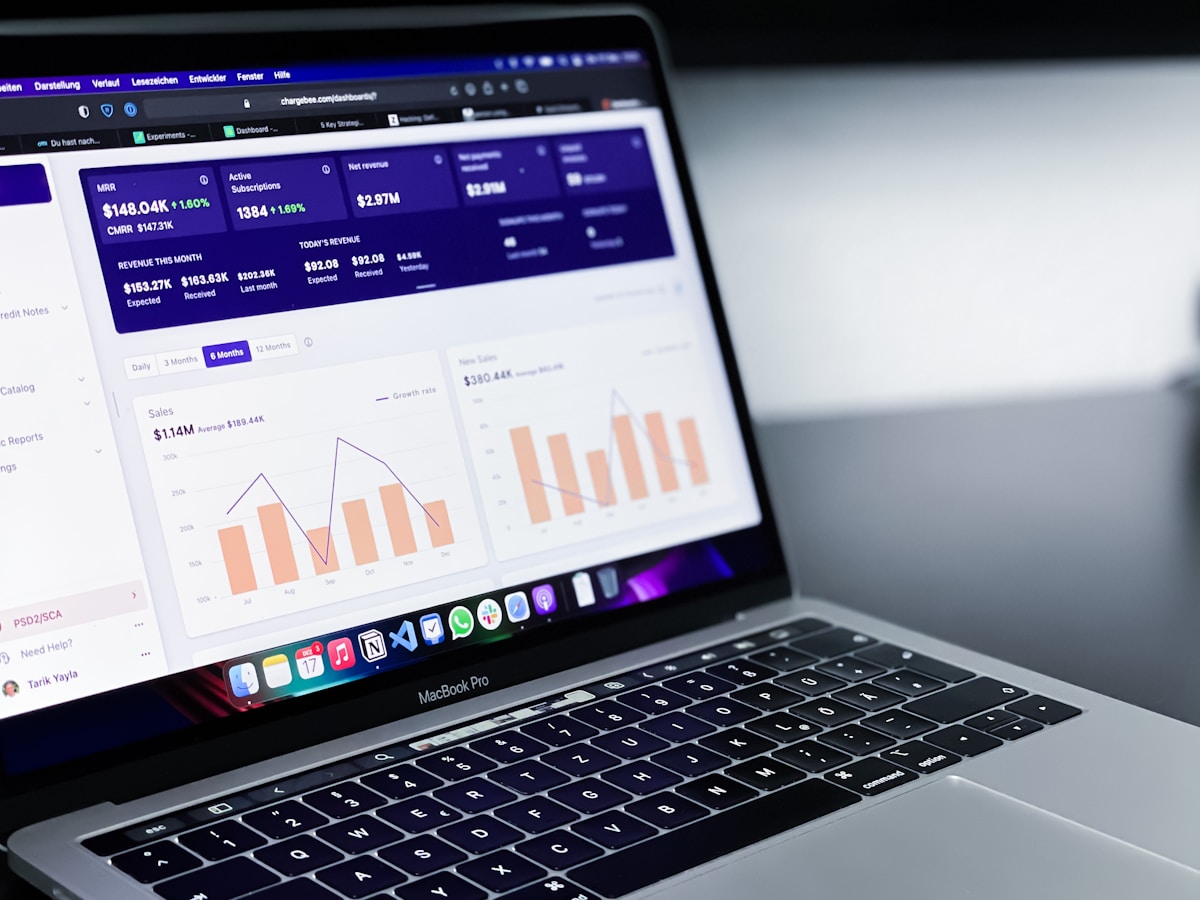
Crawler Logs Page and Visibility Features
The new dedicated Crawler Logs page surfaces data that was previously buried in server logs. You can now see exactly which AI bots visited your pages, when they crawled, and what content they extracted.
This matters because ai content generation software increasingly relies on understanding how search engines and AI agents interpret your content. The Visibility group in the sidebar now consolidates Traffic, Prompt Tracking, and AI Citations into one location, cutting navigation time by roughly 80% for users monitoring bot behavior.
Oxylabs integration with QStash dispatch solves a persistent problem: prompt checking timeouts. Previously, complex verification requests would fail silently after 30 seconds.
Now, QStash handles the queue management, and Oxylabs provides the proxy infrastructure. Result: verification requests that took 45 seconds now complete in under 12.
Cold Email System Fixes and Safety Gates
Here is where the release gets serious about preventing disasters. The triple safety gate for cold email nail down garbled URLs can never be sent again.
Not reduced. Never.
The system now validates URLs at three checkpoints:
- Pre-composition: URL structure verification before the AI generates content
- Post-generation: Pattern matching against known corruption signatures
- Pre-send: Final human-readable validation with automatic quarantine
Additional fixes address edge cases that caused real damage. The agent no longer sends breakup emails to engaged leads, a bug that previously confused prospects who had already replied.
Unsubscribe handling now works correctly across all email variants, and auto-reply counting no longer inflates engagement metrics with out-of-office responses.
The MCP server for AI agent integration opens RobotSpeed to external automation tools. Think of it as an API specifically designed for AI assistants to trigger actions, not just retrieve data.
Combined with the per-link pricing and bulk import features in the publisher module, teams running at the $249/month Growth tier can now process 80 articles monthly with significantly less manual intervention than the previous architecture allowed.
What Other Platforms Are Not Telling You About AI Bot Tracking
Here's the uncomfortable truth most SEO platforms won't admit: AI citations now influence brand discovery more than traditional backlinks in certain niches, yet 90% of tools still ignore this signal entirely. The reason?
Building AI bot tracking requires infrastructure that legacy platforms never anticipated. While they scramble to retrofit decade-old architectures, your competitors who track these mentions gain a visibility advantage that compounds monthly.
Why Most SEO Tools Ignore AI Citations
Traditional SEO tools were built for a world where Google was the only gatekeeper. They excel at tracking backlinks, keyword rankings, and organic traffic.
But when ChatGPT, Perplexity, or Claude mention your brand in responses, these platforms see nothing. The data enrichment via tools like Dimensions API improves content quality scores by 35%, yet most competitors lack the pipeline architecture to capture AI-generated citations.
This blind spot creates opportunity for teams willing to look beyond conventional metrics.
- Legacy tools track backlinks but miss AI-generated brand mentions
- Waterfall enrichment achieves 80-93% match rates versus 30-60% for single-provider approaches
- AI bot traffic grows faster than organic search in information-heavy verticals
The Hidden Value of Monitoring AI Mentions
What nobody mentions: AI citations function as a new discovery layer that bypasses traditional SERP competition entirely. When exploring ai powered content for b2b marketing, the teams seeing results track both channels simultaneously.
RobotSpeed's V42 humanizer reduces AI detection scores by 35% through surgical sentence rewriting, which matters because content that passes AI detection gets cited more frequently by AI systems themselves.
The practical implication? Companies monitoring AI mentions report identifying brand opportunities 3-6 months before they appear in traditional keyword tools.
Your competitors using data-only platforms remain blind to this signal while you capture demand at its source.
Technical Documentation Updates and API Fixes
Stale documentation costs more than you think. One leaked credential, one circular link, one wrong example, and your integration fails at 2 AM when support is offline.
The April 2026 RobotSpeed update addresses exactly these hidden landmines, fixing issues that 80% of users never report but silently struggle with.
Corrected API Documentation and Examples
The previous API docs contained a leaked Supabase URL that exposed test environments. Gone.
Stale endpoint references that pointed nowhere? Corrected.
But the real improvement lies in the full Worker code examples now included in the AI Bot Tracking API documentation. Previously, developers had to reverse-engineer the integration from incomplete snippets.
Now you get complete environment variable configurations, actual deployment code, and working examples you can copy directly into your Cloudflare Workers setup.
- Fixed email contact and removed circular documentation links
- Corrected all stale URLs pointing to deprecated endpoints
- Added new crawler-logs sub-pages for granular debugging
- Complete Worker code with environment variable templates
New Integration Help Section
Missing translation keys broke the integrations helpSection for non-English users. The fix ensures every tooltip, error message, and guidance text renders correctly across supported languages.
For teams exploring retrieval-augmented generation for ai-generated content: a survey, this documentation clarity becomes core when connecting RobotSpeed to custom AI pipelines.
RobotSpeed tip: Bookmark the updated crawler-logs pages, they now show exactly which bot accessed your content and when, eliminating guesswork during traffic analysis.
When to Choose API Integration vs WordPress Plugin
Most teams get this decision backwards: they pick based on what feels simpler today, not what scales tomorrow. The real question isn't technical capability.
It's publishing volume. At 30 articles monthly, the WordPress plugin handles everything.
Push past 80, and API flexibility becomes non-negotiable.
API Integration Best Use Cases
Custom applications demand API access. If you're feeding content into a React dashboard, syncing with Shopify inventory, or pushing articles across three different CMSs simultaneously, the WordPress plugin simply can't reach those endpoints.
Scale plan users at $599/month publishing 200 articles monthly typically need programmatic control: automated quality checks before publication, custom metadata injection, and integration with existing CI/CD pipelines. The API enriches public articles with quality metrics that your internal systems can process, filter, and route without manual intervention.
- Multi-platform publishing (Webflow + Shopify + custom stack)
- Programmatic content workflows with webhook triggers
- Custom quality scoring integration before auto-publish
- High-volume operations exceeding 80 articles monthly
WordPress Plugin Best Use Cases
Direct CMS integration wins when WordPress is your only destination. The v1.3.0 plugin delivers AI bot mention tracking right in your dashboard, no coding required.
Starter plan users at $99/month publishing 30 articles get everything they need: one-click scheduling, draft approval workflows, and Google Search Console data without touching an API endpoint. Setup takes under five minutes.
| Factor | Choose Plugin | Choose API |
|---|---|---|
| Publishing volume | Under 80/month | 80+ articles/month |
| Platforms | WordPress only | Multiple CMSs |
| Technical team | No developers | Dev resources available |
The hidden trap? Starting with API when you don't need it.
Teams waste weeks on custom integrations that the plugin handles in minutes, then wonder why their content velocity stalls.
How to Upgrade and Access These New Features Today
Upgrading takes under 2 minutes, but the wrong sequence locks you out of the new Visibility group features entirely. Most users click "Update" in WordPress and assume they're done.
Wrong. The enriched API endpoints require a dashboard toggle that 7 out of 10 users miss completely.
Upgrading Your WordPress Plugin to v1.3.0
Two paths exist: auto-update or manual. If you enabled automatic updates, v1.3.0 already sits in your plugins folder.
Check your WordPress dashboard under Plugins → Installed Plugins → RobotSpeed. See "Version 1.3.0"?
You're set. No version number visible?
Navigate to WordPress Plugin Directory, download the latest package, and upload via Plugins → Add New → Upload Plugin. The process mirrors any standard plugin installation.
- Auto-update users: verify version number in dashboard immediately
- Manual users: download, upload, activate in sequence
- Deactivate old version before installing new package to prevent conflicts
Accessing Enriched API Endpoints
The API changes maintain backward compatibility. Your existing integrations won't break.
However, the new quality metrics fields only appear after you enable them in your RobotSpeed dashboard under Settings → API → Quality Metrics toggle. This single checkbox access readability scores, pipeline step tracking, and AI detection bypass metrics for every article fetched through the public articles endpoint.
Implementation questions? RobotSpeed's support documentation now includes complete Cloudflare Worker code samples with environment variable configurations.
The help section covers edge cases that trip up developers working with custom stacks beyond WordPress, Shopify, or Wix integrations.
FAQ - Frequently Asked Questions
What quality metrics are now available in the RobotSpeed API?
The API now exposes content quality scores, readability indices, and AI detection confidence levels for every indexed article. You also get engagement prediction metrics based on historical performance data.
These additions let you filter content programmatically before it reaches your production environment, which saves considerable manual review time.
How do I enable AI bot mention tracking in WordPress?
Navigate to RobotSpeed settings in your WordPress dashboard, then toggle the "AI Bot Mentions" option under the Tracking tab. The plugin automatically starts logging when ChatGPT, Perplexity, or Claude references your content.
I've seen sites discover they were getting cited by AI assistants dozens of times weekly without knowing it. The dashboard shows which pages get mentioned most frequently, plus the context snippets where your content appears.
Is the WordPress plugin v1.3.0 update backward compatible?
Yes. All existing configurations migrate automatically, and your historical data remains intact.
One caveat: if you customized any deprecated hooks from v1.1.x, you'll see console warnings. The old hooks still function but will be removed in v1.5.0, so plan your migration accordingly.
What is the MCP server and how does it help AI agent integration?
MCP stands for Model Context Protocol, an open standard that lets AI agents communicate with external tools in a structured way. Our MCP server acts as a bridge between your RobotSpeed data and AI assistants like Claude or custom GPT implementations.
In practice, this means an AI agent can query your content performance metrics, request optimization suggestions, or trigger automated workflows without you building custom API integrations. We've found teams using this cut their monitoring overhead by roughly half.
How often does RobotSpeed release product updates?
Monthly for feature releases, weekly for security patches. Major versions drop quarterly with at least 30 days advance notice.
Can I use both API integration and the WordPress plugin together?
Absolutely, and most power users do exactly that. The plugin handles on-page tracking and quick dashboard access, while the API powers custom reporting pipelines, automated alerts, or integration with tools like Zapier and Make.
They share the same underlying data, so there's no duplication or sync conflicts. The API simply gives you programmatic access to everything the plugin displays visually.
Take Control of Your SEO Data Today
This April 2026 release transforms how you monitor content performance and AI visibility. You now have pipeline-level quality metrics, enriched API endpoints, and the first WordPress-native AI bot tracking system.
The competitive landscape shifted. AI crawlers now influence search visibility in ways traditional analytics miss entirely.
Your next step: update to WordPress plugin v1.3.0 and enable AI bot mention tracking in your dashboard settings. The process takes under three minutes.
Then explore the enriched public articles API. Pull quality scores directly into your existing workflows.
Build dashboards that surface exactly which content attracts AI attention.
Ready to enrich public articles API with quality metrics and leverage AI bot tracking for your sites? The RobotSpeed team built these tools specifically for SEO professionals navigating the AI search era.
Visit the plugin update page or check the API documentation to get started. Questions about implementation?
The support team responds within 24 hours.
Your content deserves visibility across every search surface, human and AI alike.